
When Can Others Actually Hear Your Bone Conduction Headphones?
Because bone conduction technology works by sending vibrations through your cheekbones to stimulate the cochlea, a small amount of that energy typically escapes as airborne sound. It is not a design flaw; it is usually just how the acoustics play out. But for desk-side listening, there is a big difference between sound being faintly detectable and actually being distracting.
In many cases, the people sitting next to you will not notice a thing. However, whether your audio crosses the line into socially awkward territory usually depends on three practical factors: your volume, your environment, and what you are listening to.
Volume levels at arm’s length:
At low to moderate volumes, leakage is generally minimal. A coworker in an adjacent cubicle likely will not notice your audio. However, as you push into higher volumes, the sound can become noticeable to someone sitting directly next to you.
The contrast of a quiet room:
Silence tends to magnify small details. A volume level that feels perfectly private on a busy morning commute might suddenly seem exposed in a quiet library. Conversely, loud environments might tempt you to turn the volume up to hear better, which can inadvertently cause noticeable leakage when the background noise drops again.
What you are listening to:
Not all audio leaks the same way. Podcasts, meetings, and audiobooks often draw more attention because human voices are easily recognizable. A faint conversation leaking from your headset can feel more intrusive to neighbors than the subtle hum of instrumental background music.
Real-world experience often lands in a comfortable middle ground. As many people who wear them at their desks will point out, while the headphones do emit a faint sound if someone listens closely, coworkers typically do not notice anything at normal working volumes. For most shared workspaces, keeping the volume reasonable is usually enough to maintain both your situational awareness and your privacy.
Why Do Bone Conduction Headphones Leak Sound?
To understand why this happens, it helps to look at how the technology actually works. Instead of using tiny speakers to push air directly into your ear canal, bone conduction headphones rest on your cheekbones and send mechanical vibrations straight to your inner ear.
But here is the catch: when the device vibrates against your skin, it naturally vibrates the air immediately surrounding it, too. That tiny bit of airborne energy is what we call "leakage." It is not a mechanical flaw or a sign of a cheap build; it is just a fundamental part of how open-ear audio operates.
Because this slight sound dispersal is built into the design, your environment often plays a bigger role than the headphones themselves in whether leakage is actually a problem:
-
Quiet offices and study spaces: This is where you have to be the most mindful. With very little background noise to mask it, even faint leakage can stand out and feel socially awkward to the person sitting right next to you.
-
Gyms and public transit: In these active settings, the surrounding rumble of train cars, clanking gym equipment, or background chatter often does the heavy lifting for you, masking the vast majority of the leaked audio.
-
Outdoor runs and walks: Out on the trail or the sidewalk, leakage usually matters least. The open space, ambient city sounds, and constant movement make it highly unlikely that anyone passing by will catch a glimpse of your playlist.
How to Minimize Sound Leakage on Your Bone Conduction Headphones
If you find yourself in a quiet room and want to keep your audio private, you usually do not need to abandon open-ear listening altogether. Before searching for new gear, a few simple adjustments can often make a noticeable difference in reducing your acoustic footprint.
-
Stick to the 50/50 volume rule. In a typical office setting (which usually sits around 50dB of ambient noise), keeping your volume between 40% and 60% is often the sweet spot. You get clear audio, but the person at the next desk likely hears nothing. If you are in a dead-silent library, dialing it back to 30-40% usually keeps things discreet. In many cases, leakage problems are really just high-volume problems.
-
Check your fit. When figuring out how to wear bone conduction headphones for maximum privacy, placement is key. The transducers typically work best sitting flat against the hard bone just in front of your ear. If they rest on softer tissue, you might turn the volume up to hear clearly, which often leads to more leakage. Even a slight air gap can make your headset project sound outward like a tiny speaker.
Pro tip for glasses wearers: put your headphones on first, then rest your glasses over the hooks. This keeps the frame from creating a bridge that lifts the transducers away from your skin.
-
Explore built-in privacy features. If you spend most of your day in silent environments and volume tweaks are not quite enough, it might be worth looking into newer models. Some devices now feature specific tuning or dedicated privacy modes designed to suppress high-frequency leakage.
How Shokz Builds Privacy into the Hardware
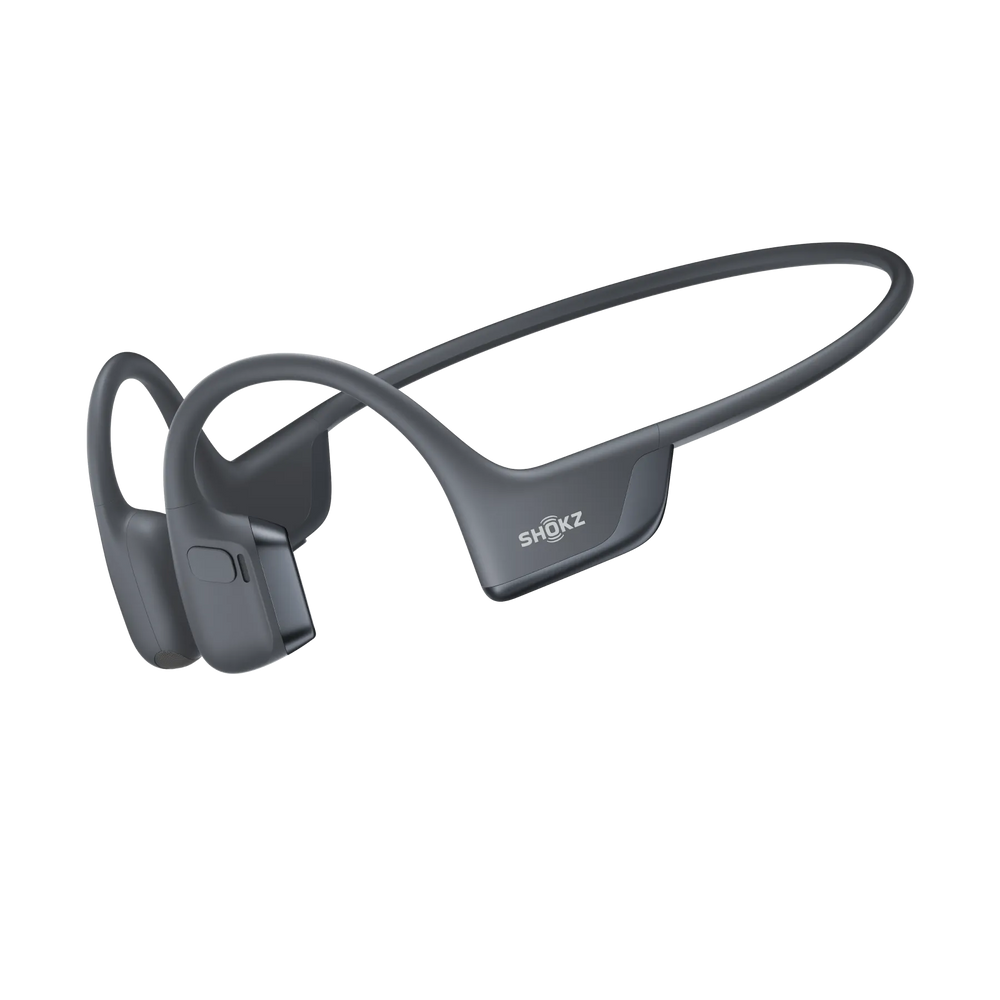
While adjusting your volume helps, the hardware itself usually does the heavy lifting. Shokz has spent years engineering ways to minimize natural sound leakage, making it much easier to wear your bone conduction headphones comfortably in quiet, shared spaces.
Here is a quick look at how the tech helps keep your playlists to yourself:
-
LeakSlayer™ Technology: You can think of it as a reverse-phase acoustic design. Strategically placed acoustic holes emit out-of-phase sound waves, which are designed to neutralize stray audio before it reaches the person sitting next to you.
-
DirectPitch™ Technology: Found in newer models like the OpenRun Pro 2, this acts like an audio spotlight. It focuses sound energy directly toward your ear while actively reducing the audio that escapes sideways into the room.
-
Titanium Frames for a Flush Fit: The flexible titanium band is not just about surviving your gym bag. It is typically designed to provide consistent tension. This helps keep the transducers resting firmly against your cheekbones, which is important because maintaining a snug fit often minimizes the tiny air gaps that can let audio escape into the room.


