What Is LDAC? The Bluetooth Codec Behind Hi-Res Wireless Audio

Wireless listening has become increasingly convenient, but many listeners still want more from it: more detail, more texture, and more of the original recording coming through. LDAC is one approach to that challenge — a Bluetooth audio codec designed to carry more data than standard options such as SBC, potentially bringing wireless playback closer to a higher-quality source.
That promise matters. But so does the fine print. LDAC uses lossy compression, which means it does not deliver a bit-perfect copy of the original file. It can provide more bandwidth than basic Bluetooth codecs, but it does not turn Bluetooth into a flawless studio pipeline.
What Is LDAC and How Does It Work?
LDAC was developed to send more audio data over Bluetooth than the baseline SBC codec. SBC is the standard Bluetooth audio codec used broadly across compatible Bluetooth audio devices, while LDAC offers several higher-bitrate operating modes.
At 96 kHz and 48 kHz, LDAC can operate at approximately 330, 660, or 990 kbps. At 88.2 kHz and 44.1 kHz, the corresponding modes are approximately 303, 606, and 909 kbps. LDAC also supports 32-bit, 24-bit, and 16-bit audio.
That higher bitrate ceiling is the point.
The simplest way to think about it is as a wider pipe. Your source device takes an audio file, encodes it using LDAC, and transmits it wirelessly. Your headphones or earbuds then decode that stream back into sound. More available bitrate can give the codec more room to preserve information from the original recording.
It is not magic. It is math.
And LDAC is adaptive by design. The codec can use different bitrate modes depending on the selected setting and connection conditions. In favorable conditions, a higher bitrate may be maintained. When the wireless environment becomes more challenging, a lower setting may help maintain a more stable connection.
That trade-off is part of what makes LDAC useful in the right setup. With more bitrate available, the codec has more room to preserve audio information, particularly in complex passages with layered instruments, room ambience, or delicate high-frequency detail. What you hear is not some mysterious enhancement. It is simply a different balance between data rate and compression.
Is LDAC Lossless or Just Hi-Res?
This is where the language starts to blur. Hi-Res Audio and lossless are not the same thing.
LDAC is often associated with Hi-Res Audio because it can transmit higher-resolution audio at substantially higher bitrates than basic Bluetooth codec options. That gives it more bandwidth to work with. It does not mean the Bluetooth transmission itself is lossless from end to end.
A cleaner comparison is this: LDAC is closer to a high-quality compressed audio stream than to a perfect archive copy. The result can be impressive, and in some systems it may sound noticeably better than a lower-bitrate codec. But compression is still involved, and some audio information is still discarded.
That distinction matters when expectations run ahead of reality. A Hi-Res label can suggest a level of fidelity that the wireless transmission itself does not necessarily deliver. The listening experience is usually more nuanced than the badge on the box.
If your source file is already heavily compressed, the improvement may be limited. If you are listening in a noisy environment, the difference may become harder to notice. With a well-recorded source, compatible hardware, and a quiet listening environment, LDAC has a better opportunity to show the benefit of its higher data rates.
Do You Need Special Gear to Use LDAC?
Yes. Both the source and receiving device need compatible LDAC support for LDAC playback.
Your source device has to support and expose the codec. Your headphones, earbuds, or speaker also need to support LDAC. Even when both devices support it, the actual codec being used can depend on the connection and device settings.
Phone and Source Compatibility
For many users, LDAC is primarily encountered on Android devices. Android's platform-level audio framework includes support for LDAC, but an Android version alone does not guarantee that every phone manufacturer or device exposes or enables it.
In other words, Android 8.0 or later does not automatically mean a particular phone supports LDAC. Actual availability can depend on the phone model, manufacturer implementation, software version, and settings.
On iOS, LDAC is generally not available as a standard Bluetooth audio codec option, so iPhone users typically should not expect to use LDAC for Bluetooth audio.
This distinction catches people off guard. A pair of headphones may connect normally, play audio just fine, and still not use LDAC. Bluetooth pairing is not the same thing as codec support. When LDAC is unavailable or not selected, a compatible device may instead use another supported codec such as AAC or SBC.
Headphone and Speaker Compatibility
The receiving device also needs to explicitly support LDAC. Terms like “premium,” “Hi-Res,” or “audiophile-tuned” may sound reassuring, but they do not confirm codec support.
If the specifications do not list LDAC, it is safest not to assume the device supports it.
This is also where listening priorities come into focus. Codec choice shapes the signal being transmitted, but what you actually hear still depends on headphone design, acoustic tuning, source quality, connection stability, and the environment around you.
LDAC vs Other Bluetooth Codecs
Here is the comparison most readers are really looking for:
|
Codec |
Typical / Max Bitrate |
Common Platform Support |
What It Means in Real Use |
|
~328 kbps at 44.1 kHz; slightly higher at 48 kHz |
Bluetooth baseline codec |
Broad compatibility and dependable baseline performance |
|
|
AAC |
~250–320 kbps |
Common on many phones and headphones |
Can perform well; implementation matters |
|
aptX |
~352 kbps at 44.1 kHz |
Supported on some compatible devices |
Higher fixed bitrate than typical SBC; availability varies |
|
aptX HD |
~576 kbps at 24-bit / 48 kHz |
Supported on some compatible devices |
Higher-bitrate option; requires compatible hardware |
|
LDAC |
~330 / 660 / 990 kbps at 96 / 48 kHz; ~303 / 606 / 909 kbps at 88.2 / 44.1 kHz |
Compatible source and receiving devices, commonly Android-based setups |
Higher bitrate ceiling, with greater dependence on connection conditions |
So, Is LDAC the Best?
LDAC can be an attractive option when the source, devices, and connection conditions support it. Its higher bitrate gives it more room to preserve audio information, particularly with a high-quality source and a stable connection.
But bitrate is only one part of the listening experience. Source quality, headphone design, tuning, connection stability, and the listening environment all influence what you actually hear. In everyday use, the difference between LDAC and other capable codecs may also be less noticeable than the numbers suggest.
For many listeners, codec availability and compatibility are just as practical. SBC and AAC are supported across a wide range of Bluetooth devices, making them common choices for everyday wireless listening.
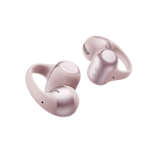
The Shokz OpenDots 2, for example, supports both SBC and AAC while using an open-ear clip-on design that keeps the earbuds positioned around the ears rather than sealing the ear canals. That combination can make them a practical fit for everyday listening, whether you are moving between work, commuting, walking, or simply want to stay more aware of your surroundings while listening.
The takeaway is simple: LDAC can be useful when its higher bitrate fits your source and devices, while widely supported codecs such as SBC and AAC can pair well with a more flexible, everyday listening experience.
The Trade-Offs: Battery, Stability, and Daily Listening
One of the main practical considerations is connection stability at higher bitrate settings, particularly 990 kbps.
Higher bitrate means more data needs to move continuously over the wireless connection. In a crowded apartment building, busy gym, airport gate, or commuter train packed with phones, laptops, and wearables, demanding wireless conditions may make higher-bitrate transmission more sensitive to interference. That can contribute to stutters, dropouts, or a switch to a lower bitrate mode.
On paper, 990 kbps looks like the obvious choice. In practice, 660 kbps can be a useful middle ground in some situations. It offers a lower data rate than 990 kbps while still providing more bitrate than the lower LDAC modes. The more appropriate setting depends on your device, connection quality, environment, and listening priorities.
Battery life can also be affected, although the actual impact varies. Higher-bitrate Bluetooth transmission may involve additional processing or power demands on the source device, headphones, or both. Firmware, hardware implementation, and usage patterns can all influence the result, so battery impact is better treated as a possible trade-off rather than a guaranteed drawback.
Then there is the broader reality of wireless troubleshooting. A problem that looks like a codec issue may actually come from pairing state, firmware, app behavior, device compatibility, operating-system settings, or Bluetooth connection conditions. Wireless audio has more moving parts than a cable, so checking those basics can sometimes reveal the real cause faster than changing codec settings.
There is one more expectation worth keeping in check. In noisy environments, many listeners may not hear a meaningful difference between 660 kbps and 990 kbps. Street noise, office chatter, HVAC hum, and gym speakers can mask relatively subtle changes. LDAC's potential advantages are easier to evaluate when the source is good and the listening environment is relatively quiet.
How to Turn On and Use LDAC
First, make sure your headphones or earbuds actually support LDAC. The best place to confirm that is the official product specification, rather than relying only on a retailer listing. If LDAC is not supported by the receiving device, the phone cannot force it into existence.
On compatible Android devices, LDAC may be selected automatically when the necessary support is available. If you want to verify the codec or adjust it manually, you may need to use Developer Options. The exact menu path can vary by manufacturer and Android version.
A common path is:
-
Open Settings on your Android phone.
-
Go to About phone.
-
Tap Build number several times until Developer Options is enabled.
-
Go back to Settings and open Developer Options.
-
Find Bluetooth audio codec and select LDAC if it appears and is available.
You may also see options related to playback quality or bitrate mode. This is where practicality matters more than simply choosing the largest number.
A higher-quality or higher-bitrate mode can make sense when you are relatively still and the Bluetooth connection is stable. A connection-priority setting may be more practical when you are moving around or surrounded by dense wireless traffic. The best choice depends on whether your priority is maximum bitrate, connection stability, or a balance between the two.
Wireless settings can look like sound-quality problems when the underlying issue is compatibility or connection state.
So, What Is LDAC Really Offering?
At its core, LDAC answers a simple question: how can wireless audio carry more information from a higher-quality source? The short answer is higher available bitrate, adaptive transmission modes, and compatible hardware on both ends.
The important caveat is that Hi-Res does not mean lossless, and a higher bitrate does not automatically translate into a better listening experience. Source quality, device support, connection conditions, and headphone design all play a role.
LDAC can be a meaningful option for listeners who have compatible hardware and want more bitrate headroom from Bluetooth audio. But bitrate is only one part of the equation. The way headphones fit, how they interact with your ears, and how they suit your daily environment can matter just as much when choosing a listening setup.
That broader perspective is also useful when exploring alternatives such as Shokz open ear headphones, where the focus extends beyond codec specifications to factors such as open-ear comfort, fit, and awareness of the surrounding environment. Ultimately, the most suitable wireless listening experience depends on how the technology fits your source, your devices, and the way you actually listen.