How Far Bluetooth Reaches: Real-World Range, Explained

Bluetooth range is the distance two paired devices can stay connected before the signal becomes too weak to carry audio or data reliably.
That sounds straightforward. In practice, it rarely is.
Many consumer Bluetooth devices list a rated range around 33 feet, or 10 meters. But that number is a reference point, not a guarantee of how far a connection will work in every situation. Actual range depends on the device, its radio design, and what stands between the two devices.
In open space, a Bluetooth connection may perform close to its rated range. Add walls, furniture, metal, a pocket, or your own body, and the result can change.
If you’ve ever walked into the next room and heard your music stutter, or left your phone in a locker and wondered whether your headphones would keep up, you’ve already seen the gap between rated range and real-world range. A useful way to picture how far Bluetooth reaches is to think of it like a flashlight beam: a clear path makes things easier, while walls, metal objects, and body position can interfere with the path between devices.
What Is Bluetooth Range — and What’s the Real Number?
The real number depends on where you are, what the devices are capable of, and what stands between them.
In open space, a device with a rated range around 10 meters may be able to maintain a connection at or near that distance. Indoors, the same connection can behave differently as walls, furniture, metal surfaces, and other wireless activity change the signal path. In more challenging environments, usable range may be shorter still.
That’s why two people can describe the same headphones in completely different ways. One may have no trouble using them across an open space, while another may notice dropouts when the phone is in a pocket or separated by walls.
Both experiences can be real.
Bluetooth range isn’t a fixed distance, like a tape measure. It’s a practical limit shaped by the devices involved, their radio characteristics, obstacles, and the surrounding wireless environment.
Why Bluetooth Often Feels Shorter Than Advertised
Bluetooth sends data over the 2.4 GHz radio band, which is shared with many other wireless technologies and devices. Bluetooth is designed to operate in this shared radio environment, but interference and changes in the signal path can still affect connection stability.
When the signal path is relatively clear, the connection may feel seamless. When obstacles or interference affect the signal, you may notice brief skips, interruptions, or dropouts before the connection is lost completely.
Physical barriers can also affect usable Bluetooth range. Walls, metal surfaces, furniture, and even body position can change the signal path between your phone and headphones. This can be more noticeable when you’re moving, as the position of your body and devices keeps changing.
The exact effect depends on the environment, which is why Bluetooth range can vary significantly from one situation to another.
Bluetooth Versions and Classes Matter Too
Bluetooth version and radio class can both be relevant to how a device performs, but neither one should be treated as a simple measure of real-world range.
Newer Bluetooth versions can introduce improvements in features, efficiency, and supported radio capabilities, but a newer version does not automatically mean a longer or more stable connection in every device. Actual performance also depends on factors such as transmit power, receiver sensitivity, antenna design and placement, device implementation, and the surrounding environment.
That means two products using the same Bluetooth version can perform differently once you move beyond controlled conditions.
The Bluetooth version is useful information when comparing devices, but it is only one part of the range picture.
How Far Bluetooth Reaches in Real Life
The most useful question isn’t “What is the max range?” It’s “Will it work where I actually use it?”
Bluetooth behaves differently in every environment because the signal path changes with walls, body position, device placement, and movement.
Phone in Your Pocket or Gym Locker
A phone in your front pocket can be a relatively simple setup, but body position still matters.
If the phone and headphones are separated by your body, the radio path can be affected as you move. During a run or a gym session, that path keeps changing with every stride, turn, and arm swing. This can make a connection less consistent even when the phone and headphones are relatively close together.
A locker is less predictable. If the phone is inside a metal locker, the surrounding structure can affect the radio signal through a combination of blocking and reflections. The result depends on the locker, the devices, and the rest of the environment.
If you regularly leave your phone in a locker or bag, it’s worth treating the rated range as a reference rather than a guarantee. Keeping the phone closer to your headphones and avoiding unnecessary barriers can make the connection more predictable.
Across a Room or House
Across one room, Bluetooth may work without issue when the signal path is relatively clear. Problems become more likely when the path includes corners, appliances, metal surfaces, or multiple walls.
A connection that feels reliable in the same room can behave differently once you move into a hallway or behind another wall. This is one reason moving around a house can expose limits that aren’t obvious when you stay close to the source device.
Bluetooth is intended for relatively nearby connections, so it shouldn’t be treated like a whole-home wireless network.
If you need audio while moving around a larger home, keeping the phone on you — or at least relatively close to the headphones — is generally more predictable than expecting one Bluetooth connection to work equally well throughout the entire space.
Outdoors, Running, or Walking
Outdoors is often a more straightforward environment for Bluetooth because there may be fewer physical barriers between the phone and headphones.
A clear path can help a device perform closer to its rated range, but body position still matters. During a walk or run, the phone can shift from one side of your body to the other, while your head, arms, clothing, or other gear can change the signal path.
Open-ear headphones are often used in these situations because they allow the wearer to listen while remaining aware of surrounding sounds. That use case makes connection consistency important, but it does not mean an open-ear design itself increases Bluetooth range.
For any headphones, the practical experience still depends on the Bluetooth implementation, phone placement, environment, and movement.
How to Get the Most Out of Bluetooth Range
The easiest place to start is with line of sight.
Keep your phone and headphones relatively close and avoid placing the phone deep inside a packed bag or behind unnecessary barriers. During running or other movement, phone placement can also matter because your body may repeatedly block or change the path between the devices.
Move away from interference when you can. If audio cuts out near a router, wireless equipment, or a crowded area, try changing your position before assuming the headphones are faulty. In homes, the problem may be the environment rather than the device. Rooms with many wireless devices or large amounts of metal can create a more challenging connection.
Check for firmware updates on both the headphones and the source device. Updates can address connection bugs and other software issues that may contribute to interruptions. Restarting both devices can also clear pairing or connection problems that feel like range issues but are actually caused by software or the connection state.
If you use open-ear headphones for running, walking, or gym sessions, phone placement is still worth considering. Open-ear design describes how the headphones sit on or around your ears; it does not by itself determine Bluetooth range. Keeping the source device in a position that minimizes body obstruction can help make the connection more consistent during movement.
Does Range Affect Sound Quality or Battery?
Range doesn’t usually change the sound signature simply because you move farther away.
Bluetooth audio is a digital connection, so you typically don’t hear a smooth, gradual decline in sound quality as distance increases. Instead, a weakening connection is more likely to show up as connection instability: brief skips, interruptions, or silence if the link is lost completely.
Battery impact can also vary with connection conditions. A device may use more power when maintaining or recovering a connection, but the effect depends on the devices and the circumstances. For most everyday use, the more noticeable consequence of reaching the edge of the connection is usually interruption rather than a dramatic change in battery life.
What This Means for Open-Ear Headphones
This matters for open-ear headphones because they’re often used in motion, and in situations where the phone isn’t sitting on a desk right beside you.
You might be on a run with your phone in a pocket, lifting with your phone on a bench behind you, or walking through a grocery store while listening to directions.
In those moments, Bluetooth range is part of the overall listening experience. But open-ear design and Bluetooth range are separate considerations. Open-ear describes how the headphones are worn and how they interact with your ears, while Bluetooth range depends on the wireless connection between the headphones and the source device.
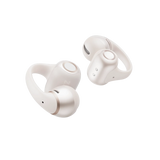
For people who switch between devices throughout the day, Shokz OpenDots 2 features Bluetooth 6.1 and MultiPoint Pairing, allowing it to connect to two devices at the same time and making multi-device use more convenient.
So, how far Bluetooth reaches depends less on a single number on the box than on the path the signal has to take. In open space, a connection may perform close to its rated range. Add walls, interference, metal objects, or changes in body position, and the usable range can change.
The spec gives you a reference point.
Your environment determines how that connection performs in real use.