How to Use OpenDots Air ?

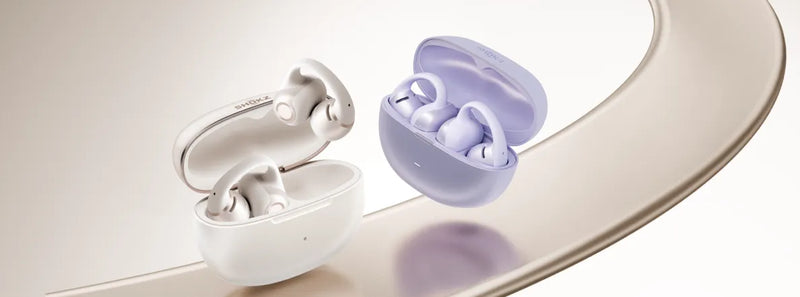
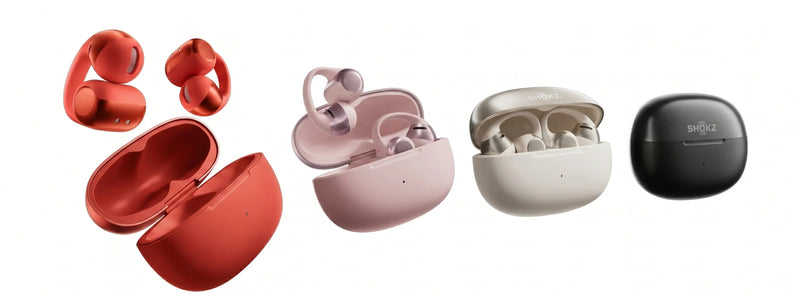
Congratulations on purchasing OpenDots Air, the most affordable Open-Ear Clip-On Earbuds from Shokz! Featuring a secure and comfortable fit and balanced, natural sound, OpenDots Air delivers the lightest, most stylish listening experience in the OpenDots series.
But how do you wear it? And what are the features that make its price point so compelling? In this OpenDots launch recap, we’ll cover all the basic controls and capabilities, from pairing to charging, so that you can unlock the full potential of your OpenDots Air.
How to Pair
Shokz makes pairing easy. When you first open the charging case, your OpenDots Air will automatically enter Bluetooth pairing mode. How will you know if it’s ready to pair? If the indicator light on the case is flashing orange and green, you’re good to go.
But let’s say you need to re-enter pairing mode so that you can connect to a new device. In that case, place both earbuds into the charging case while keeping the lid open, then press the function button (marked with the three-line icon) on the front of the case, holding it for three seconds. When the indicator light starts flashing orange and green, you’ll know the earbuds have entered pairing mode.

To complete the process, open the Bluetooth settings page on your device and select “OpenDots Air by Shokz.” You should see a successful pairing message soon after.
Once connected, your earbuds will automatically turn on and reconnect to that same device whenever you open the charging case. Conversely, they’ll automatically turn off and disconnect from your device when they’re stored back in the case with the lid closed.
OpenDots Air also supports Google Fast Pair™ and Microsoft Swift Pair, allowing you to quickly and easily pair with Android™ devices (Android™ 11 or later) and Windows PCs (Windows 10 or later).
Please note that the Bluetooth connection will be severed if the earbuds are more than 33 feet from the device. However, they will automatically reconnect once they return within range. Simply perform any touch control to trigger reconnection.
How to Wear
OpenDots Air, like the other two models in the series, features an open-ear design with Dynamic Ear Detection Technology. This means they can be worn interchangeably and keep the ear canal unobstructed, allowing you to maintain situational awareness.
To put on your OpenDots Air, all you need to do is pinch the JointArc™ and place the ball-shaped speaker against the inner ridge of your ear and the barrel-shaped battery compartment behind it. The speaker should not sit in the ear canal, but in front of it. You can adjust the positioning based on your own personal preference, but for the ideal fit, we recommend keeping the JointArc™ downward between a 0- to 30-degree angle.
While OpenDots Air is built with a durable and flexible nickel-titanium plate, it’s best to avoid bending, stretching, twisting, or pulling it with excessive force to help maintain its longevity.
How to Control
There are two types of actions that allow you to control OpenDots Air. The first is a tap, in which you tap any area of the JointArc™ or battery compartment. And the second is a pinch, in which you gently pinch both ends of the battery compartment simultaneously.
A double-tap allows you to play or pause audio. To answer and end calls, you just double-tap either earbud. If you want to reject an incoming call, all you need to do is double-pinch.
Need to skip a track? To play the previous song, double-pinch the left earbud. To play the next song, double-pinch the right.
If you want the audio to be louder, simply single-pinch the right earbud. Doing the same with the left earbud will lower the volume.
How to Charge
To charge the earbuds themselves, you just need to place them in the charging case, making sure they’re magnetically secured in each port.
While charging, the indicator light will be a solid orange. When the earbuds are fully charged, the light will change to solid green.
With Quick Charge, 10 minutes gets you 2 hours of listening. It takes about 1 hour to fully charge the earbuds.
The charging case itself only supports wired charging through a USB-C cable. It takes about 2 hours to fully charge the case.
Advanced Shokz App Features
Here’s more info on some of the premium features you can access when you download the Shokz App.
-
EQ Customization
Get even more out of your sound with four preset EQ modes in the Shokz App – Standard, Vocal, Bass, and Private. Or you can manually create your own.
-
Control System Personalization
There’s nothing wrong with being particular about things. Whether it’s activating your very own voice assistant or customizing gesture controls to suit your preferences, the Shokz App makes it easy. Choose different pinch or tap combinations to skip tracks, play or pause music, and adjust the volume – your way.
-
Find My Earbuds
Did an earbud fall between a couch cushion? No problem. Easily locate your earbuds with this one-click ringing feature in the Shokz App.
-
Stay Informed
Never miss a beat, whether it’s a dying battery or the latest tech. The Shokz App lets you monitor battery status and download firmware updates to keep everything running smoothly.
-
MultiPoint Pairing
One device might be the norm, but two is a party that’s more than welcome. Connect to two devices simultaneously through the Shokz App and switch between them seamlessly thanks to MultiPoint Pairing.
Conclusion
Congratulations again on your new OpenDots Air earbuds! We hope this guide helps you get the most out of your listening experience, whether you’re running errands in style or hiking with friends. And if you do have other questions, you can always consult the USER GUIDE for more instructions. As the lightest model in the OpenDots series with audio technology that punches above its weight, OpenDots Air provides a stylish entry point into the clip-on world of Shokz.
To learn more about the Shokz OpenDots Air, please visit our website.