Why Can I Hear Myself in My Headset?

If you’re asking why can i hear myself in my headset, start with one simple distinction: Are only you hearing your voice, or is the other person hearing an echo too?
That difference helps narrow down the cause quickly.
If only you hear yourself, sidetone or software monitoring are common possibilities. If the other person hears themselves coming back, it’s more likely an audio loopback or routing issue. And if it happens in only one app, the app’s audio settings may be involved.
Before changing several settings at once, isolate the symptom. A short voice memo or private test call can help. If you hear yourself live while speaking but the recording sounds normal afterward, the issue is more likely related to monitoring than a faulty mic.
Start Here: Quick Checks Before You Dig Through Menus
When this starts in the middle of a call or game, you probably don’t want a full diagnosis. You want the self-echo to stop.
Begin with the basics:
-
Make sure your mic isn’t partially muted or controlled by a headset button or dial you may have bumped.
-
Check your app volume and headset volume separately.
-
Confirm that only one active input device and one active output device are selected in both your system and your app.
-
Determine whether only you hear yourself or whether the other person hears an echo too.
That last check helps determine which troubleshooting path to follow:
-
If only you hear yourself, start with sidetone or mic monitoring.
-
If the other person hears an echo too, look for loopback or duplicate routing.
-
If it happens in only one app, start with that app’s audio settings.
What’s Actually Causing It?
Hearing your own voice can feel delayed, unusually amplified, or strangely “inside your head.” Several different issues can produce a similar experience, so the symptom alone doesn’t always identify the cause.
Sidetone: The Feature That Feels Like a Problem
One of the most common answers to why can i hear myself in my headset is sidetone.
Sidetone is an intentional feature that feeds some of your mic audio back into your ears. Headsets may include it because speaking while wearing a fully sealed headset can feel unnatural. Some people find that a little self-monitoring makes calls, gaming, or office use feel more comfortable.
So hearing yourself clearly in real time does not automatically mean your headset is defective.
The catch is that sidetone can feel natural to one person and distracting to another. If your headset lets you lower or disable it, adjusting that setting is a straightforward place to start.
If Only You Hear Yourself, It’s Usually Monitoring
If no one else is complaining and the issue exists only on your end, your computer or app may be monitoring your microphone.
On Windows, that can be a setting like “Listen to this device.” On Mac, it may be input monitoring through the system or an app. Meeting, recording, and streaming software can also manage mic monitoring independently.
The troubleshooting path is usually straightforward:
-
Check your operating system’s mic monitoring settings.
-
Check your app’s audio settings.
-
Check whether your headset has its own sidetone control.
After each change, speak normally and listen. If the live self-audio disappears, you’ve likely found the source.
If the Other Person Hears an Echo, It’s a Different Path
If the other person says they can hear themselves through your setup, this is different from simply hearing your own voice.
It can point to speaker audio feeding back into your mic, duplicate devices being active, or the same call running more than once. In that situation, focus on the audio path between your speakers and microphone rather than spending all your time adjusting sidetone.
If It Happens in Only One App, Start There
If your headset sounds normal everywhere else but the echo appears when you open one game or meeting platform, the app’s settings may be the place to start.
Some apps manage voice chat separately from system audio. Others apply their own monitoring, processing, or raw audio modes. Instead of changing every setting you can find, check that app’s voice and audio menu first.
A quick test can help: close the app completely, then talk into a recorder or use another call platform. If the self-hearing disappears, the issue is more likely related to the app’s audio path than the headset itself.
Turn Off or Adjust Sidetone
If you keep hearing yourself every time you speak, this is the section to check first.
On Windows, Disable “Listen to This Device”
On Windows, one possible cause is the “Listen to this device” setting being enabled for your microphone.
Try this path:
-
Open Sound settings.
-
Go to your input device or microphone settings.
-
Open Microphone Properties.
-
Select the Listen tab.
-
Uncheck Listen to this device.
-
Click Apply.
That setting sends your mic audio back into your headset.
To verify the change:
-
Speak a few words immediately after turning it off.
-
If the live echo disappears, software monitoring was likely involved.
-
If you still hear yourself, move on to app settings or hardware sidetone.
On Mac, Check Input Monitoring and Audio Routing
On Mac, the cause may be less obvious. It can be related to input monitoring through the system or an app.
Check these areas:
-
Review your macOS System Settings for any active mic monitoring.
-
Check the audio settings of the app you were using for microphone monitoring or a similar listening feature.
-
Confirm that the correct microphone is selected.
If you use recording, streaming, or meeting software, inspect that app as well. The app itself may be handling the monitoring.
To verify:
-
Talk with only your headset connected.
-
Quit the app you were using and test again.
-
If the self-hearing stops after monitoring is disabled, you’ve isolated the likely source.
If Your Headset Has a Sidetone Dial or Button, Use That
Some headsets control sidetone on the device itself rather than through Windows or Mac.
Check for:
-
a dial
-
a button
-
a companion app setting tied to mic monitoring or voice feedback
If your headset uses hardware-level sidetone, operating system changes may not fully override it. Lowering or disabling it on the headset may be the more direct fix.
The test is immediate: adjust the control, speak, and listen for the change in real time.
Fix Echo in Specific Apps
When the issue appears only in a call app or while gaming, app settings deserve attention before you change system-wide settings.
In Zoom, Check Original Sound and Echo Handling
In Zoom, Original Sound is one audio setting worth checking when troubleshooting unusual audio behavior.
Try this:
-
Open Zoom audio settings.
-
Check whether Original Sound is enabled and whether you need it for your current use.
-
Make sure background noise suppression or echo handling is enabled.
Original Sound changes how much audio processing Zoom applies, so its effect can vary depending on your setup. It should be treated as one setting to test rather than a definite source of self-hearing.
To verify:
-
Join a test meeting by yourself.
-
Speak, change the setting, and test again right away.
In Teams, Check Devices and Noise Suppression
In Teams, open Settings > Devices and review your audio setup.
Check that:
-
the correct headset is selected for both input and output
-
noise suppression is enabled
-
echo-related settings are not working against your setup
This can happen when Teams switches to a different device, especially when Bluetooth audio devices are nearby.
To verify:
-
Make a short test call in Teams.
-
If switching back to the correct device solves the problem, routing was likely involved.
In Discord, Adjust Voice Processing Carefully
Discord can be a little more nuanced because its voice settings can affect one another.
Go to User Settings > Voice & Video, then test:
-
toggling Echo Cancellation off and on
-
adjusting Input Sensitivity
-
disabling automatic input sensitivity if it seems erratic
This isn’t about simply pushing mic gain higher. Too much sensitivity can make the experience worse. The goal is to see whether Discord is reacting differently to your room, voice level, or device routing.
To verify:
-
Join a private voice channel or test with a friend.
-
Change one setting at a time so you can identify what made the difference.
In Games on PS5 or PC, Check Chat Audio Routing
If the issue shows up only during gaming, especially in voice chat, one possible cause is that your mic is picking up game audio rather than your own voice being fed back through sidetone.
This can happen on PS5 or PC when:
-
chat and game audio are mixed poorly
-
the game has its own chat monitoring
-
the headset design allows more sound leakage around the mic
Check:
-
your game’s voice chat settings
-
console audio chat settings
-
chat/game balance
-
whether in-game chat is using the device you expect
A useful test is to mute only in-game chat. If the self-hearing stops, the issue may be somewhere in the game or console chat path rather than your headset’s main settings.
Hardware Causes You Shouldn’t Ignore
If you’ve already changed software settings and the experience still feels off, the headset itself may be part of the picture.
Open-Ear and Bone Conduction Headsets Can Sound Different by Design
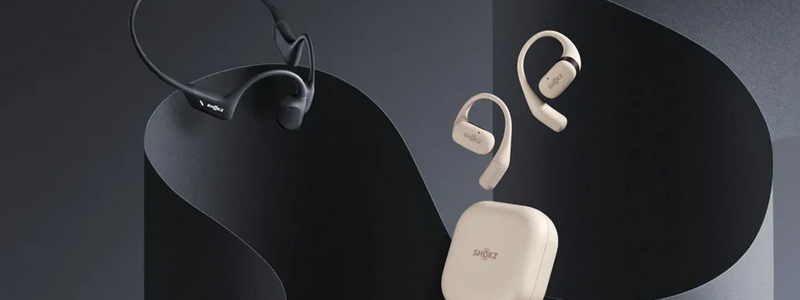
If you use an open-ear or bone conduction headset, hearing more of your own voice can be a normal part of the listening experience. With Shokz headphones, for example, the open design lets you hear more of your voice and surrounding sounds than you might with sealed over-ear or in-ear models. At first, this can feel similar to an echo even without electronic feedback.
The key is how the sound feels. A natural, immediate sound without noticeable delay, repetition, or an electronic effect is more likely related to the open-ear or bone conduction design. Delayed, repeated, or electronic-sounding playback may still point to sidetone, mic monitoring, or app audio routing.
For those who prefer this more open listening experience, Shokz OpenRun Air 2 comfortable bone conduction headphones offer an open-ear design that lets you hear your surroundings while listening. They can be a natural option for listeners who prefer a less isolated listening experience.
Boom Mic Position Matters More Than Most People Expect
If your headset uses a boom mic, placement can shape the overall audio experience.
Try:
-
moving the boom slightly away from your mouth
-
aiming it toward your mouth rather than directly in front of it
-
avoiding contact with your cheek, collar, or beard, if applicable
Poor positioning can exaggerate breath noise, plosives, and unusual self-monitoring effects.
To verify:
-
Make a short test recording before and after moving it.
-
If your voice sounds cleaner and less boomy, the mic position may have been contributing to the problem.
Wind and Ambient Noise Can Trigger the Problem
Some people notice this issue mostly outdoors, while walking, or in windy conditions.
Wind or background noise can affect how your microphone processing behaves, which may make your voice sound unusual or cause call apps to respond differently. This can be more noticeable with open-ear designs, where environmental awareness is part of the listening experience.
Try moving to a calmer spot, turning your head away from the wind, or switching to an app that handles noise more gracefully.
To verify:
-
Test the same call indoors.
-
If the issue mostly disappears, the environment may have been contributing more than your settings.
If Other People Hear an Echo of Themselves
If someone keeps saying, “I can hear myself back,” you’re dealing with a different issue than why can i hear myself in my headset.
The likely starting point is a speaker-to-mic loopback somewhere in your setup.
Check for:
-
an open browser tab with the same meeting
-
the same call joined on your phone and computer at the same time
-
multiple Bluetooth audio devices connected
-
the wrong input or output selected inside the app
-
audio playing through speakers instead of only through the headset
Fix it in this order:
-
Close duplicate tabs and extra call apps.
-
Disconnect secondary audio devices.
-
In the app, select only one microphone and one speaker output.
-
Ask the other person whether the echo stops after each change.
The verification is simple: if they stop hearing themselves, you’ve likely found the loop.
How to Prevent It Next Time
Once this happens more than once, the pattern becomes familiar: the call starts, the audio feels wrong, and the first few minutes disappear into troubleshooting.
A few habits can help reduce the chance of running into the same issue:
-
test audio before joining
-
save your preferred sidetone level if your headset supports it
-
use the same input and output device consistently
-
avoid joining the same call on multiple devices unless one mic is muted
-
recheck app-specific audio settings after updates, since they sometimes reset
This matters even more if you switch often between work calls, gaming, and mobile use. Different apps remember different audio behavior, and sometimes those settings can change unexpectedly.
When to Contact Support
If you’ve tried the software fixes, checked app settings, and tested on more than one device, you’ve already covered the main troubleshooting steps.
At that point, contact the manufacturer if:
-
sidetone can’t be disabled even though your headset should support it
-
the problem happens across multiple apps and devices
-
mic monitoring seems stuck on regardless of settings
-
your mic quality is consistently poor, distorted, or unstable
Support can then help with firmware checks, device-specific controls, or a warranty claim if the mic hardware is actually faulty.
Final Answer: Why Can I Hear Myself in My Headset?
Most cases of why can i hear myself in my headset come down to sidetone, software monitoring, or app-specific audio routing.
Start with monitoring and sidetone when you hear your own voice. When others hear an echo too, look for loopback or duplicate devices. A problem that happens in only one app is more likely related to that app’s audio settings.
With open-ear or bone conduction headphones, remember that natural, immediate self-hearing is different from delayed, repeated, or electronic playback. That distinction can help you tell a normal part of the listening experience from a monitoring or routing issue.
In many cases, troubleshooting wireless headphones is less about replacing your headset and more about identifying the setting, app, or audio path that is feeding your voice back to you.