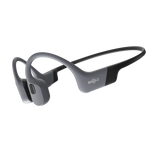
Why Does My Audio Sound Muffled? Causes and Fixes

When your Shokz suddenly sounds dull, underwater-like, or quieter on one side, why does my audio sound muffled usually comes down to a physical issue, a setting, or a connection problem. The fastest way to narrow it down is to think about when the change started and what happened right before it.
Quick Checks: 30-Second Fixes Before You Troubleshoot
Muffled audio rarely happens at a convenient time. It might show up halfway through a run, after a rainy walk, or right before a call.
Start with these quick checks:
-
Wipe the speaker or transducer area with a soft, dry cloth.
-
Check the volume on both your headphones and phone.
-
Make sure Bluetooth is connected to the device you actually want to use.
-
Remove and reposition the headphones so both sides sit as they normally should.
Symptom: Audio sounds muffled all of a sudden.
Likely cause: Surface residue, positioning, a setting change, or an unstable connection.
Fix steps:
-
Remove the headphones and inspect the sound-transmitting areas.
-
Wipe them gently with a soft, dry cloth.
-
Check your phone's media volume.
-
If your Shokz has volume controls, make sure the headset volume is also set appropriately.
-
Open Bluetooth settings and confirm the headphones are connected to the intended device.
Verification: Play a familiar song or podcast. Spoken audio can make changes in clarity easier to notice. If voices sound clear again and both sides are balanced, you may have caught a simple issue early.
If none of these resolve it, continue below
Use the symptom that best matches what you're hearing:
-
If the muffling started after sweat, rain, moisture, or visible grime, go to Physical Causes of Muffled Audio .
-
If the sound changed after adjusting EQ, accessibility settings, or another audio setting, go to Settings and Software Causes .
-
If audio is cutting out, dropping, or becoming unstable, go to Connectivity and Bluetooth Causes .
-
If the problem continues after basic troubleshooting, skip to When to Contact Support or Request a Warranty Review .
Physical Causes of Muffled Audio
Many muffled-audio complaints start after a workout, exposure to rain, or a period without cleaning. With Shokz open-ear and bone-conduction designs, positioning and the condition of the sound-transmitting and contact areas are worth checking before assuming there is a hardware problem.
If debris, sweat, or moisture is visible, clean and dry the headphones
Symptom: You can see residue, sweat, or moisture around the sound-transmitting area, and the audio sounds dull.
Likely cause: Visible buildup or moisture may be affecting how the headphones sit or how clearly the sound reaches you.
Fix steps:
-
Power the headphones off.
-
Use a soft, dry cloth to wipe the transducer or speaker area and nearby contact points.
-
If there is buildup around seams or edges, wipe gently rather than scraping.
-
Avoid putting water, alcohol, or cleaning solution directly on the transducer or speaker area.
Why this matters: Even a small amount of residue or moisture can change how the headphones feel and sound.
Verification: Put the headphones back on and test with speech or a familiar podcast. If the audio sounds clearer, the buildup or moisture may have been contributing to the problem.
If sound becomes muffled after sweating, dry and reposition
Symptom: Audio sounds normal at the start of a workout but becomes less clear after you have been sweating.
Likely cause: Sweat or moisture can affect how securely the headphones sit against your skin.
Fix steps:
-
Take the headphones off.
-
Wipe the sound-transmitting areas and contact points dry.
-
Wipe the nearby skin dry as well.
-
Put the headphones back on and make sure both sides are positioned evenly.
Why this matters: Small changes in fit can affect how the audio is perceived, especially during movement.
Verification: If the sound becomes clearer after drying and repositioning, moisture or fit was likely contributing to the change.
If audio is muffled after rain, splashing, or submersion, dry fully before use
If your headphones suddenly sound like they're underwater after getting wet, moisture is one of the first things to check.
Symptom: Muffled sound starts after rain, splashing, or accidental submersion.
Likely cause: Moisture around the sound-transmitting area or other parts of the headphones may be affecting normal operation.
Fix steps:
-
Stop using the headphones for the moment.
-
Power them off.
-
Gently wipe away surface moisture with a dry cloth.
-
Let them air-dry fully before using or charging.
-
Do not charge the headphones while they are wet.
-
Avoid the rice method. It does not reliably remove trapped moisture.
Why this matters: Using or charging a wet device can create additional problems beyond the original change in sound.
Verification: Once the headphones are fully dry, test the audio and charging separately. If the sound returns to normal, moisture may have been the cause. If the problem continues, check the Shokz Help Center or contact support for further troubleshooting.
Not all Shokz headphones are designed for swimming. Whether are Shokz headphones waterproof depends on the model and its intended use. For swim-focused use, the OpenSwim line uses onboard music storage so you can listen without relying on a Bluetooth connection underwater.
If one side sounds muffled, check positioning, moisture, and accessories
When one side suddenly sounds quieter, compare both sides before assuming the hardware has failed.
Symptom: The left and right sides sound uneven, or one side sounds underwater.
Likely cause: Uneven positioning, visible buildup, moisture, or an accessory affecting the fit.
Fix steps:
-
Remove the headphones and compare both sides.
-
Check the quieter side for visible debris or moisture.
-
Reposition the headphones so both sides sit evenly.
-
Check whether glasses, a hat, hood, headband, or thick hair is pushing one side out of position.
-
If necessary, adjust the accessory and headphones together.
Why this matters: Even a small difference in positioning can make one side sound weaker or less clear.
Verification: Play centred speech or another familiar recording. If the balance improves after repositioning, the issue was more likely related to fit or contact than an immediate hardware failure.
For users who regularly run or train with different headwear or eyewear, Shokz offers different designs across lines such as OpenRun and OpenMove, so fit and positioning can be considered alongside the activity and accessories you normally use.
Settings and Software Causes
Sometimes your headphones are physically fine, but a phone, app, or audio setting changes how the sound is presented.
If EQ or bass boost is enabled, reset the sound profile
Symptom: Audio sounds muddy across songs, podcasts, or calls, especially after changing sound settings.
Likely cause: An EQ preset, bass boost, or custom sound profile may be changing the balance of the audio.
Fix steps:
-
Open your phone's audio settings or the app you use for playback.
-
Check whether EQ, bass boost, or a custom sound preset is enabled.
-
Reset the sound profile to default or flat.
-
If you use the Shokz app , check whether a different sound mode or EQ setting has been selected.
Why this matters: A sound profile with a strong bass emphasis can make vocals and other details seem less clear.
Verification: Replay the same track after resetting the profile. If the vocals sound clearer, the audio setting was likely contributing to the problem.
If accessibility or mono audio settings are on, check them
Symptom: Sound feels narrow, unusual, or unbalanced across apps.
Likely cause: Accessibility or audio-processing settings may be changing the normal output.
Fix steps:
-
Open your phone's accessibility and sound settings.
-
Check whether Mono Audio is enabled.
-
Look for volume limiters or other sound-enhancement settings.
-
Turn off settings you did not intentionally enable.
Why this matters: Phone-level settings can affect what you hear even when the headphones themselves have not changed.
Verification: Test with familiar stereo content. If the sound returns to normal, a phone setting may have been responsible.
If only one app sounds muffled, check its audio settings
If Spotify sounds unusual but YouTube sounds normal, or calls are clear while one streaming app sounds muffled, that difference is useful.
Symptom: Only one app produces muffled audio.
Likely cause: An app-specific playback or audio setting.
Fix steps:
-
Test at least two other apps.
-
If only one app sounds bad, open its playback or audio settings.
-
Check for EQ, loudness normalization, dialogue enhancement, or data-saving audio options.
-
Restart the app after making changes.
Why this matters: Isolating the problem to one app can help you avoid unnecessary headphone resets or hardware troubleshooting.
Verification: If other apps sound normal and the affected app improves after changing its settings, the problem was likely app-specific.
Connectivity and Bluetooth Causes
Bluetooth is worth checking when the problem involves connection stability, such as audio cutting out, dropping, or becoming unreliable. It is less useful as an explanation for audio that is consistently muffled.
If audio cuts out or becomes unstable, reconnect the headphones
Symptom: Audio drops, skips, cuts in and out, or becomes unreliable rather than simply sounding dull.
Likely cause: An unstable Bluetooth connection or pairing issue.
Fix steps:
-
Move closer to the paired phone or other source device.
-
Check that the headphones are connected to the intended device.
-
Disconnect and reconnect the Bluetooth connection.
-
If the problem continues, restart both the headphones and the source device.
Why this matters: Bluetooth connection problems are more commonly associated with interruptions and instability than with a persistent muffled sound.
Verification: Play the same content for several minutes. If the dropouts stop after reconnecting, the issue was likely related to the connection.
If muffling started after a firmware or OS update, check for updates
Symptom: Audio behaviour changed after updating your phone or headphones.
Likely cause: A software or firmware issue may be affecting audio or connectivity.
Fix steps:
-
Open the Shokz app and check for a pending firmware update.
-
Install an available update if appropriate.
-
Check your phone for pending system updates.
-
Restart the phone and headphones after updating.
Why this matters: Updates can address software or connection problems, so checking for available updates is a reasonable troubleshooting step when the timing lines up.
Verification: Test the same audio after restarting both devices. If the behaviour returns to normal, the update or restart may have resolved the issue.
If you're underwater, remember that Bluetooth streaming has limitations
This is a different situation from ordinary Bluetooth interference. Bluetooth signals do not travel well through water, so streaming audio from a phone can become unreliable when the headphones or phone are submerged.
Symptom: Audio becomes unreliable or cuts out while swimming or underwater.
Likely cause: The Bluetooth connection is being disrupted by the surrounding water.
Fix steps:
-
If you're submerged, do not expect a normal Bluetooth streaming connection.
-
Move out of the water and test the headphones again above the surface.
-
Keep the phone close and dry when testing near water.
Why this matters: A Bluetooth connection that works normally above water may not behave the same way underwater.
Verification: If the audio returns to normal after leaving the water, the connection limitation was likely involved.
For swimmers who want to enjoy music throughout their workout, the Shokz OpenSwim Pro has an IP68 waterproof rating, making it suitable for underwater use. Its MP3 mode lets you keep listening underwater without relying on a Bluetooth connection, while Bluetooth mode lets you switch back to streaming once you're out of the water.
Cleaning and Maintenance: Simple Ways to Prevent Muffled Audio
A few simple habits can help reduce recurring problems without turning maintenance into a chore:
-
Wipe the headphones with a soft, dry cloth after sweaty workouts.
-
Remove visible residue from the speaker or transducer area and contact points.
-
After rain or splashing, let the headphones dry completely before storage or charging.
-
Check the sound-transmitting areas periodically for buildup, moisture, or visible damage.
You do not need to use aggressive cleaners or complicated earbud-cleaning procedures. For Shokz open-ear and bone-conduction designs, focus on the exterior surfaces, sound-transmitting areas, and contact points that actually apply to your model.
When to Contact Support or Request a Warranty Review
At some point, you've done the reasonable troubleshooting. That's when it makes sense to stop experimenting and get help.
If muffling persists after cleaning, drying, repositioning, and settings checks, contact support
Symptom: The sound remains muffled after basic troubleshooting.
Likely cause: A hardware or product-specific issue may require further diagnosis.
Fix steps:
-
Note when the problem started.
-
Record whether it affects both sides or only one side.
-
Test more than one app or audio source if possible.
-
Write down what you have already tried.
-
Contact Shokz support with those details.
Why this matters: A clear timeline and troubleshooting history can help support identify the next step more efficiently.
Verification: Support can help determine whether the issue requires additional troubleshooting, service, or a warranty review.
If corrosion, discoloration, or malfunction appears after moisture exposure, request a warranty review
Symptom: You notice visible corrosion, discoloration, charging problems, button issues, or worsening audio after moisture exposure.
Likely cause: Moisture may have contributed to a hardware problem.
Fix steps:
-
Stop charging or using the headphones if they still appear wet or behave unexpectedly.
-
Take clear photos of any visible damage.
-
Gather your purchase information and model name.
-
Note what happened before the problem appeared.
-
Request a warranty review through Shokz support.
Why this matters: Visible symptoms and a clear timeline can help with the evaluation.
Verification: Shokz support can determine what troubleshooting or service options may apply to your situation.
The Bottom Line
When you're wondering why does my audio sound muffled, start with the simplest explanations: check the sound-transmitting areas, dry the headphones if they got wet, reposition them, and review your phone or app settings.
If the problem is actually cutting out or becoming unstable, then Bluetooth connectivity is worth investigating. But a consistently dull or muffled sound is more likely to call for a physical, positioning, or settings check first.
If one side remains noticeably quieter or the problem continues after cleaning, drying, repositioning, and settings checks, it's time to contact Shokz support rather than continuing to troubleshoot indefinitely.