Why Is One Earbud Louder Than the Other

Open-ear audio solutions, true wireless earbuds, and wireless headphones now go everywhere. Across busy intersections. Onto early-morning runs. Through train commutes, map prompts, playlists, and calls. When both sides sound balanced, you barely notice them.
But when one side suddenly sounds quieter, you notice immediately.
That’s why searches like Why Is One Earbud Louder Than the Other usually start in the middle of a real listening moment. A track feels lopsided. A voice prompt leans left. You adjust one side, pause the audio, and wonder whether it’s a quick fix or something more serious.
In many cases, the troubleshooting path is straightforward. Start with a few fast checks, then move through settings, fit, audio sources, connection issues, and hardware.
Understanding Why One Wireless Earbud Sounds Quieter
How the Imbalance Usually Shows Up in Real Listening Moments
The issue rarely appears as a clear technical error. A podcast voice may seem off-center. Turn-by-turn directions may sound stronger in one ear. A startup prompt may seem uneven. During exercise, movement can make the difference more noticeable as the earbuds shift.
That repeated need to adjust one side is a useful clue. It does not necessarily mean the earbud has failed. Position, moisture, settings, source audio, and connection issues can all affect how balanced the sound feels.
What “One Earbud Louder Than the Other” Can Mean Before You Assume Failure
A left-right volume mismatch can come from several places:
-
the phone’s balance slider has shifted off center
-
mono audio or accessibility settings are affecting channel output
-
one app has its own sound or playback controls
-
an earbud is sitting differently in or around the ear
-
sweat, debris, or moisture is affecting one side
-
Bluetooth instability is affecting playback
-
one battery is behaving differently from the other
-
hearing may differ slightly between the two ears
Open-ear and bone-conduction products have another variable to consider: placement. A small change in position can affect perceived loudness, so it is worth checking how both sides are sitting before assuming there is a hardware problem.
The Fastest 30-Second Checks to Try First
Before going deeper, run through these quick checks:
-
Pause and replay the same audio.
-
Raise and lower the volume once.
-
Reseat or reposition both sides.
-
Check whether the issue happens in one app or across all audio.
-
Listen to a voice prompt, not just music.
That last step can be especially useful. Music mixes are not always perfectly centered, while spoken prompts are generally easier to compare. If the imbalance is obvious with speech too, move on to the settings.
How Wireless Earbud Audio Settings Affect Uneven Volume
Balance Slider Settings That Can Shift Sound Left or Right
The quickest fix may be on the phone rather than the earbuds.
Most phones include a left-right balance slider in accessibility or audio settings. When it is shifted to one side, that channel will sound stronger across different types of audio. The setting can sometimes change accidentally or after adjusting other device options.
Check that the slider is centered. If it already is, continue with the next checks.
Mono Audio and Accessibility Options That Change Channel Output
Mono audio can also affect how left and right channels are presented. Depending on the device, other accessibility or audio settings may affect channel behavior or call audio.
For troubleshooting, temporarily return these settings to their default state and replay the same track or voice prompt. The goal is simply to remove possible variables one at a time.
Volume Sync, In-App Controls, and Source-Specific Audio Problems
Some problems are limited to a particular app or audio source.
A music app, video platform, or calling service may have its own EQ, spatial audio, or playback settings. Try the same type of content in another app, such as a podcast, song, or voice recording.
If one side sounds quieter only with certain tracks but not with spoken audio, the source or recording may be contributing to the perceived imbalance rather than the earbuds themselves.
How Fit and Position Affect Uneven Earbud Volume
Fit, Seal, and Ear Shape Differences That Change Perceived Loudness
With in-ear earbuds, differences in the seal can make one side sound thinner or quieter. With open-ear designs, angle and placement can have a greater effect on perceived loudness.
Ear shape also matters. One side may naturally sit closer or at a slightly different angle than the other. Reseat both sides and compare the same spoken audio again. When the volume changes after repositioning, fit or placement becomes an important possibility.
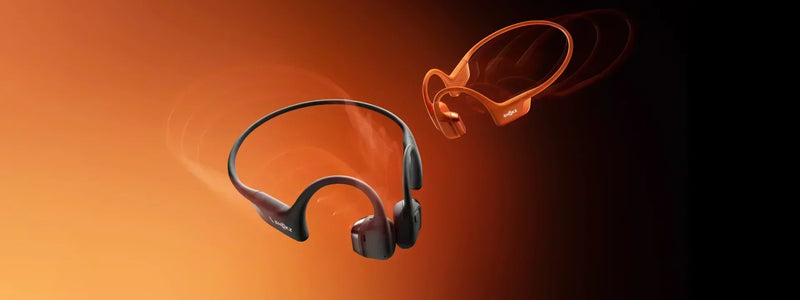
This is also where the right fit can make a difference. A design that sits securely without relying on an identical ear shape on both sides may feel more consistent from one side to the other. Shokz OpenRun Pro 2 uses a nickel-titanium frame and balanced clamping force to help maintain a stable fit around the ears. Combined with bone conduction headphones technology, its design keeps the listening position consistent while leaving the ears open.
Sweat, Moisture, and Debris Affecting One Side
Sweat can become a factor during workouts. Moisture or debris may affect how an earbud sits or how consistently it performs, particularly around small openings or contact areas.
Clean and dry the earbuds according to the manufacturer’s instructions, then test the same audio again. If the imbalance changes after cleaning or drying, the issue may be related to the condition or placement of the device rather than a permanent hardware fault.
Open-Ear and Bone-Conduction Positioning Behind the Ear
Open-ear and bone-conduction headphones may require a slightly different positioning check because the hardware sits around or behind the ear rather than inside the ear canal.
If one side is rotated outward, sitting at a different height, or shifting during movement, the sound can feel uneven. Reposition both sides and replay the same voice prompt or track.
If the louder side changes after repositioning, that points more toward placement as a possible factor. If the same side remains consistently quieter regardless of position, continue with the device and connection checks.
The Moment Repositioning Stops Being Enough
There is a useful point at which repeated adjustments stop being productive.
At first, you may reposition the earbuds once or twice. When the imbalance keeps returning, it becomes more useful to determine whether the problem follows the earbud, the phone, the audio source, or your ear.
How to Tell Whether the Problem Is the Earbud, Your Phone, or Your Hearing
Swap Sides and Replay the Same Audio Track
The cleanest test is to swap sides when the earbuds allow it, or otherwise change their orientation and replay the exact same spoken track.
If the quieter sound moves with the earbud, the earbud or its positioning becomes more likely to be involved. If the imbalance stays with the same ear, the issue may be related to that ear rather than the device.
Test with Another Device, Another App, and a Spoken Voice Prompt
When possible, test the earbuds with another phone, tablet, or laptop. Then compare:
-
one music track
-
one podcast or voice memo
-
one system voice prompt
If the issue disappears on another device, the original phone or its settings become more likely causes. If it follows the earbuds across devices and apps, the problem is more likely to be associated with the earbuds themselves.
Ask the Simplest Question: Does the Quieter Side Follow the Ear or the Earbud?
This question can quickly narrow down the possibilities.
If the quieter side follows the ear, temporary blockage, irritation, or a difference in hearing between the ears may be worth considering. If it follows the earbud, move on to connection, charging, reset, and firmware checks.
A volume difference does not automatically mean there is a hearing problem. The purpose of this test is simply to separate a device-related issue from an ear-related possibility.
How Connection, Firmware, and Battery Issues Affect Uneven Volume
Re-Pairing After a Channel Drop or Unstable Connection
When one side suddenly becomes quieter after a connection problem, re-pairing is a reasonable next step.
Remove the earbuds from the device’s Bluetooth settings, restart Bluetooth, and pair them again. This is particularly useful when the imbalance appears abruptly rather than gradually.
Firmware Updates That Can Affect Uneven Playback
Firmware is easy to overlook because the problem may feel physical. Software can also affect playback or connection behavior.
Check whether a firmware update is available through the manufacturer’s app, then test the same audio again. This can help rule out software-related issues before moving toward a hardware conclusion.
Battery Imbalance and Signs One Side Is Aging Faster
Pay attention to whether the quieter side also drains faster, disconnects first, or becomes less reliable later in a listening session.
A pattern like this can point toward a battery or hardware issue. It does not necessarily mean the device has completely failed, but it makes a simple settings or positioning problem less likely.
When the Search Becomes Model-Specific
Once you have checked settings, repositioned the earbuds, and tested another source or device, general troubleshooting becomes less useful.
At that point, model-specific reset steps, firmware instructions, charging behavior, and manufacturer support information become more relevant.
If the Imbalance Keeps Coming Back: Repair, Replacement, and Warranty Validation
Signs the Issue Points to a Failing Driver or Persistent Hardware Fault
A persistent hardware problem becomes more likely when the same side stays quieter across devices, apps, and voice prompts, and when cleaning or repositioning makes no difference.
Distortion, crackling, or a side that repeatedly fades in and out can also indicate a hardware issue.
When Cleaning and Resets No Longer Change the Volume Gap
If you have already cleaned and dried the device, checked balance settings, re-paired Bluetooth, and updated firmware, but the volume difference remains unchanged, the basic troubleshooting path is largely complete.
Repeating the same steps is unlikely to provide much additional information. The next step is to determine whether the device needs professional support.
How to Document the Problem Before Contacting Support
Before contacting support, note:
-
when the issue started
-
whether it happens on all devices
-
whether it affects music, calls, and prompts
-
whether swapping sides changes the result
-
whether battery behavior is uneven
A short record like this can make the support process more efficient and help with warranty validation.
Comparing Repair, Replacement, and Warranty Claim Paths
By the final stage, the question is no longer just diagnostic. It becomes practical.
When the issue appears to be a persistent hardware fault, the manufacturer may recommend repair, replacement, or a warranty claim depending on the product and purchase status. Having already checked fit, settings, firmware, and other devices can make it easier to explain what you have already tried.
In other words, Why Is One Earbud Louder Than the Other can have a simpler explanation than it first appears.
A shifted balance setting, a positioning issue, moisture or debris, a source-specific audio problem, or a connection issue can all create an uneven listening experience. Troubleshooting is not just about making the sound equal again. It is about identifying where the imbalance is coming from.
Once that becomes clear, the next step is usually much easier to determine.