Wireless vs. Bluetooth Headphones: What’s the Real Difference — and Which One Do You Need?

When you see “wireless” on a pair of headphones or earbuds, it often means Bluetooth. But the terms are not technically interchangeable.
“Wireless” describes a broader category of cable-free audio connections. Bluetooth is one technology within that category, alongside options such as RF-based wireless, Wi-Fi, and infrared.
For most people shopping for headphones or wireless earbuds, Bluetooth is the technology they will encounter most often. The useful distinction is knowing when another wireless approach might make more sense — particularly for TV listening, long-range setups, gaming, or networked home audio.
Wireless Is the Category. Bluetooth Is One Technology Inside It.
What “Wireless” Means for Wireless Headphones
In consumer audio, “wireless” generally means the audio connection does not rely on a physical cable between the source and the listening device.
Bluetooth is designed for short-range wireless connectivity and is widely used in headphones, earbuds, phones, tablets, and laptops. RF-based systems are also used in dedicated wireless headphones, particularly for TV and home audio. Wi-Fi can support networked audio, while infrared is more limited and is now more common in legacy or specialized systems.
These terms are not all describing technologies at exactly the same level. Bluetooth is a defined wireless communication technology, Wi-Fi is a wireless networking technology, and “RF wireless” is a broader description covering systems that use radio frequency for transmission.
For shoppers, however, the practical differences are easier to understand:
|
Technology |
Where You’ll Usually Encounter It |
What It Means in Practice |
|
Bluetooth |
Headphones, wireless earbuds, phones, tablets, laptops |
Convenient for personal listening and direct device pairing |
|
RF Wireless |
TV headphones and dedicated home audio systems |
Can be useful when you want a dedicated transmitter-based connection |
|
Wi-Fi Audio |
Networked speakers and some home audio systems |
Relies on your Wi-Fi network rather than direct Bluetooth pairing |
|
Infrared (IR) |
Older TV, airplane, and specialized systems |
Short-range and generally requires line of sight |
There is no single fixed range for Bluetooth. Bluetooth SIG notes that effective range can vary from less than a meter to more than a kilometer depending on factors such as PHY, transmit power, receiver sensitivity, antenna design, and environmental obstacles. Consumer audio products are generally designed around more modest ranges, but the actual distance still varies by product and environment.
Why “Wireless” Often Means Bluetooth
For portable audio, Bluetooth is convenient because the source devices people already carry — phones, tablets, and laptops — commonly support it.
That is why “wireless headphones,” “Bluetooth headphones,” and “wireless earbuds” often describe products with essentially the same everyday connection method.
Still, it is worth checking the specifications. A product designed around a dedicated transmitter or home network may use RF or Wi-Fi instead.
How Bluetooth Works — and Why Version and Codec Still Matter
Bluetooth Versions: 4.2, 5.0, 5.3, 5.4, and Beyond
Bluetooth version numbers are useful, but they should not be treated as a simple performance ranking.
Newer Bluetooth specifications introduce new capabilities and refinements, but the experience you get from a pair of headphones depends on how those capabilities are implemented. Range, connection stability, power consumption, and latency can also be influenced by the antenna, radio design, firmware, source device, and supported features.
So rather than asking whether Bluetooth 5.4 is automatically “better” than Bluetooth 5.0, look at what the specific product actually supports.
Audio Codecs: SBC, AAC, aptX, and LDAC
Codec support can have a more direct effect on Bluetooth audio transmission than the Bluetooth version alone.
SBC is a widely supported baseline codec, while AAC is also common, particularly across Apple devices. Some devices support aptX variants or LDAC, which offer different bitrate or latency characteristics. Both the source device and headphones generally need to support a codec for it to be used.
A higher-bitrate codec is not automatically better for every listener. Source quality, headphone design, fit, connection conditions, and device compatibility all affect the listening experience. The more practical question is whether the codec support matches the devices and listening priorities you already have.
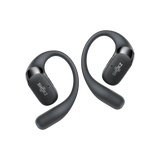
For example, if you’re choosing open-ear headphones for everyday use and your phone already supports SBC or AAC, checking for compatibility with these common codecs can be more useful than simply chasing higher specifications. Shokz OpenFit Pro and OpenFit 2+ both support SBC and AAC, which can reduce compatibility concerns and leave you more room to focus on fit, sound, and everyday usability.
Wireless vs Bluetooth Headphones: How Do They Compare?
The Differences You’ll Actually Notice
|
Factor |
Bluetooth |
RF Wireless |
Wi-Fi Audio |
|
Everyday use |
Pairs directly with phones, tablets, and laptops |
Usually connects through a dedicated transmitter |
Connects through a Wi-Fi network |
|
Range |
Designed for personal listening; actual range varies by device and surroundings |
Some systems can cover a room or larger area |
Typically covers areas within a home or other Wi-Fi-connected space |
|
Latency |
Generally suitable for music and calls; video and gaming can make delay more noticeable |
Commonly used in TV audio systems where low latency matters |
Network transmission may introduce buffering, especially for network-dependent playback |
|
Audio quality |
Typically uses a Bluetooth codec for audio transmission |
Depends on the wireless audio system |
Can support higher-bandwidth audio in compatible setups |
|
Portability |
Well suited to mobile listening |
Less convenient when a transmitter is required |
Less common for everyday headphones and earbuds |
|
Compatibility |
Works with Bluetooth-enabled phones, tablets, and laptops |
Typically requires a matching transmitter and receiver |
Requires compatible devices and access to the same Wi-Fi network |
This is the most useful way to compare wireless technologies. Instead of asking which one is “best,” ask what problem each connection is solving.
Audio Quality: Codec and System Matter More Than the Label
Bluetooth does not automatically mean poor sound quality, just as RF or Wi-Fi does not automatically guarantee better sound.
With Bluetooth, codec selection influences how audio is encoded and transmitted. With RF and Wi-Fi, the transmission system and its implementation play a similar role.
The rest of the audio chain still matters. Headphone tuning, driver design, source quality, fit, and listening environment can all influence what you hear.
For most everyday listening, the more useful question is whether the headphones support the devices and audio quality you actually care about rather than which wireless label appears on the box.
Range: Think in Terms of Your Setup, Not a Fixed Number
Bluetooth range is not a fixed 30–50 ft figure. In practice, the usable distance depends on the device, surroundings, and connection conditions.
RF systems can also vary. A dedicated TV headphone system may let you move farther from the transmitter, but that reflects the design of that particular system rather than a universal RF range.
Wi-Fi audio works differently again: its usable range follows the coverage and stability of the underlying network, making it more suited to connected home or other fixed-network environments.
For a commuter, runner, or office worker, the practical question is usually much simpler: can the headphones maintain a reliable connection while your phone or computer stays where you normally keep it?
Latency: Music, Video, and Gaming Have Different Needs
Latency matters most when timing matters.
For music and podcasts, small transmission delays are generally less noticeable. Video can make synchronization issues more apparent, while gaming — particularly competitive gaming — places greater demands on responsiveness.
Bluetooth latency varies with codec, buffering, device implementation, and application. Some Bluetooth products and source devices include low-latency features, while video software can also compensate for delay.
That is why there is no single Bluetooth latency number that applies to every pair of headphones. If competitive gaming is the priority, compare wired and purpose-built low-latency wireless systems as well as Bluetooth options.
Reliability in Crowded Wireless Environments
Bluetooth operates in the 2.4 GHz ISM band, where other wireless devices also operate. Congestion can therefore affect connections.
Bluetooth uses adaptive frequency hopping to help work around interference, but this does not make every connection immune to a crowded wireless environment. Product implementation and the surrounding radio conditions still matter.
This is another reason not to treat a Bluetooth version number as a guarantee of connection quality. Two products using the same Bluetooth version can still behave differently because their hardware, firmware, antennas, and source devices differ.
Wireless vs. Bluetooth: Which Technology Fits the Way You Listen?
Six Common Listening Scenarios
|
Use Case |
What to Consider |
Why |
|
Commuting / Travel |
Bluetooth |
Direct pairing with phones and tablets keeps the setup simple |
|
TV Listening |
RF or Bluetooth |
RF can work well with dedicated transmitters; Bluetooth is convenient when the TV supports it |
|
Running / Gym |
Bluetooth |
Common with phones; fit, comfort, and resistance to sweat matter too |
|
Office Calls |
Bluetooth |
Convenient across laptops and phones; check multipoint, microphone, and platform support |
|
Competitive Gaming |
Wired or purpose-built low-latency wireless |
Responsiveness becomes more important than general-purpose convenience |
|
Home Hi-Fi |
Wi-Fi or Bluetooth |
Compare the complete system, including source, codec, network, and playback requirements |
For commuting and travel, Bluetooth headphones are usually convenient because your phone is already the source. For workouts, the same connection model works well, while fit and comfort become equally important.
TV listening is different. A dedicated RF system can be useful when you want a transmitter-based setup and the freedom to move around the room or home. Bluetooth can also work well when both the TV and headphones support it.
For office users, multipoint may matter more than chasing the newest Bluetooth number. Being able to manage a laptop and phone without repeatedly reconnecting can have a direct effect on everyday convenience.
For gaming, focus on the actual latency characteristics of the system rather than assuming a particular Bluetooth version will solve the problem.
And if you are choosing between open earbuds and earhook earbuds, remember that this is primarily a fit and design decision, not a wireless technology decision. Both form factors can use Bluetooth. Open earbuds may appeal to listeners who prefer a less sealed listening experience, while earhook earbuds can provide additional physical support during movement.
The Buying Decision: Wireless vs Bluetooth, Simplified
A Practical If-Then Framework
-
Want simple personal listening from a phone, tablet, or laptop? Start with Bluetooth.
-
Need a dedicated TV listening setup? Compare RF systems with Bluetooth options supported by your TV.
-
Care most about audio quality? Compare codec support, source quality, headphone design, and the complete transmission system.
-
Care about gaming or video latency? Check the actual low-latency features and compatibility rather than relying on the Bluetooth version.
-
See only “wireless” on the product page? Check the connection specification before assuming it means Bluetooth.
-
Need to switch between a phone and laptop? Check for multipoint and confirm that your devices support it.
For most consumers, the real decision is not wireless vs Bluetooth in the abstract. It is whether the connection method fits the devices, distance, latency requirements, and listening environment you actually have.
What to Check Before You Buy
Before buying wireless headphones or wireless earbuds, check these six things:
-
Wireless technology: Is it Bluetooth, RF, Wi-Fi, or another system?
-
Bluetooth version and features: What does the specific product actually support?
-
Codec compatibility: Does it support the codecs used by your phone, tablet, or computer?
-
Multipoint: Useful if you regularly move between two devices.
-
Latency: Important for video and especially gaming.
-
Fit and use case: Consider comfort, stability, environmental resistance, and whether you prefer open earbuds or a more enclosed design.
For everyday personal listening, Bluetooth will often be the starting point. But the word “wireless” tells you only that the connection does not rely on a cable.
The better buying decision comes from looking one level deeper: how the headphones connect, how they perform in your environment, what devices they support, and how that matches the way you actually listen.