Bluetooth Multipoint vs Dual Audio: What’s the Difference — and Which One Do You Actually Need?

In the world of wireless listening, few terms create more confusion than Bluetooth multipoint vs dual audio. They appear side by side in product pages. They sound almost interchangeable. And yet they solve entirely different problems.
Bluetooth multipoint lets one pair of headphones stay connected to two source devices at once. Dual audio lets one source device send audio to two pairs of headphones at the same time.
It’s a small distinction on paper. In practice, it changes everything.
If your day moves between a laptop and a phone, dual audio won’t help. If your goal is to share a movie or playlist with someone else from one device, multipoint won’t help. Once you know which side of the connection you want to control, the right feature becomes much easier to spot.
Bluetooth Multipoint vs Dual Audio: Two Opposite Jobs
The confusion usually begins in the spec sheet.
A buyer sees Bluetooth multipoint and dual audio listed in the same category and assumes they’re variations of the same idea. They’re not. They’re mirror-image setups.
Bluetooth multipoint manages the input side. One headphone maintains two active Bluetooth connections at the same time. In everyday use, that means your headphones can stay linked to your phone and your laptop, ready to switch when needed.
Dual audio manages the output side. One source device — often an Android phone or a TV — sends the same audio stream to two separate Bluetooth headphones at once.
So the better question isn’t which feature is better. It’s simpler than that:
Do you want one headphone to handle two devices, or one device to feed two headphones?
That answer tells you what matters.
|
Feature |
Bluetooth Multipoint |
Dual Audio |
|
Feature type |
Manages the input side (receiving audio) |
Manages the output side (transmitting audio) |
|
Who controls it |
The headphones |
The source device (e.g., phone, tablet, TV) |
|
Number of sources or receivers |
1 pair of headphones connects to 2 source devices |
1 source device connects to 2 pairs of headphones |
|
OS dependency |
Low (primarily depends on headphone firmware/chipset) |
High (support varies by device, Bluetooth implementation, and source-device software) |
|
Typical use case |
Switching seamlessly between a work laptop for meetings and a personal phone for calls |
Two people sharing a movie or playlist from a single device |
What Bluetooth Multipoint Actually Does
With multipoint, the headphones become the traffic manager.
They keep two devices paired and active at once. You might be listening to music from your laptop when a call comes in on your phone. Instead of opening Bluetooth settings and reconnecting manually, your headphones can shift from one source to the other.
That’s the promise. The experience, however, depends on execution.
Some multipoint headphones switch fluidly and automatically. Others require a pause on one device before the second takes over. Both can claim “multipoint.” Only one feels effortless.
That difference matters most in real life. At a desk, during a commute, or mid-run, no one wants to babysit a connection.
If staying connected across devices is part of your daily routine, wireless headphones with reliable Bluetooth multipoint can make that transition feel much more natural.
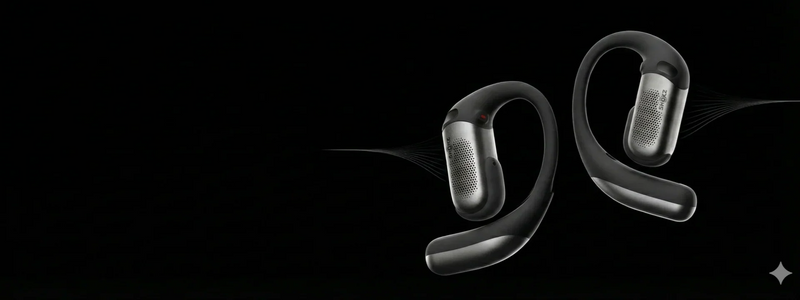
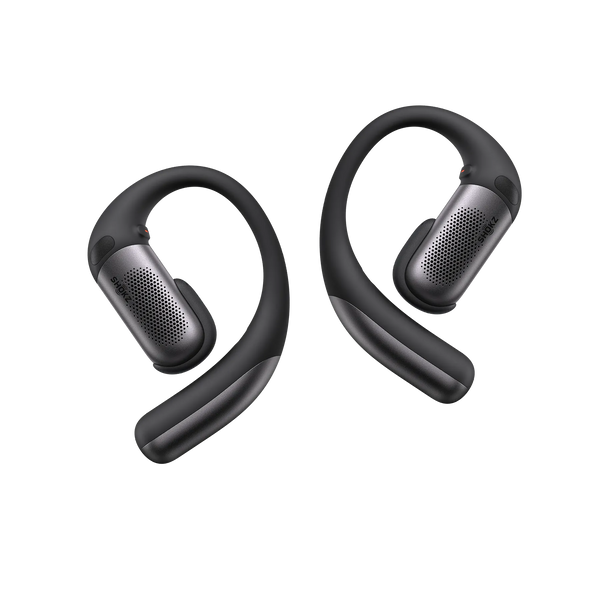
Shokz OpenFit Pro supports multipoint pairing, so you can move between a work laptop and a personal phone without constantly reconnecting. It also delivers an immersive listening experience with Dolby Atmos and Dynamic Head Tracking, making it a practical choice whether you're taking calls, listening to music, or watching videos.
What Dual Audio Actually Does
Dual audio flips the arrangement.
Instead of one headphone handling two incoming devices, one source device sends the same audio stream to two headphones at once.
Unlike multipoint, dual audio is primarily a source-device feature. The phone, tablet, or TV manages the connection, while the headphones simply receive the audio.
Some Android devices running Android 8.0 or later support dual audio, but availability depends on the device manufacturer, Bluetooth implementation, and software version. Some TVs also support dual Bluetooth output. On iOS, sending audio to two standard third-party Bluetooth headphones at the same time is not typically supported natively, so changing headphones alone generally won't enable the feature.
One tradeoff to keep in mind is synchronization. Because one device is maintaining two Bluetooth streams, minor timing differences can occur between the receiving headphones. For music or podcasts, they're often barely noticeable. For video, they may be more apparent.
Bluetooth Multipoint vs Dual Audio in Real Life
Definitions are useful. Scenarios are better.
When Multipoint Is the Right Choice
If you have two devices and want one pair of headphones to move between them, you want multipoint.
A common example is the work-from-home setup. Your laptop handles meetings. Your phone handles everything else. Without multipoint, you disconnect from one and reconnect to the other over and over again. With multipoint, both remain within reach.
It’s equally useful for anyone carrying a work phone and a personal phone. Two devices. One headset. No constant re-pairing.
And outdoors, the case becomes even clearer. A runner may be streaming from one phone but still needs to catch an urgent call from another.
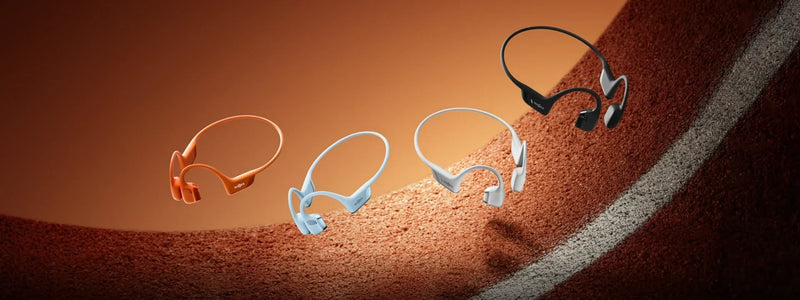
That's where Bluetooth multipoint becomes especially useful. Shokz OpenRun Pro 2 combines multipoint connectivity with a secure bone conduction design, making it easy to switch between devices while staying aware of traffic and maintaining a stable fit throughout the run.

When Dual Audio Is the Right Choice
If your goal is to share audio with another person, you want dual audio.
Think of two travelers watching the same movie from one tablet. Or a couple sharing one playlist at the gym. Or a teacher sending the same spoken lesson to two students wearing separate headphones.
In those moments, multipoint do nothing useful. The problem isn’t switching between two sources. The problem is serving two listeners from one source.
The key is to verify the transmitting device first. Some Android devices running Android 8.0 or later support Dual Audio, but availability varies by device and Bluetooth implementation. If you're using iOS with standard third-party Bluetooth headphones, or your source device doesn't support dual Bluetooth output, the feature is not typically available natively. In that case, a Bluetooth splitter or a TV with built-in dual Bluetooth output may be the more realistic path.
When People Think They Need Both
Some shoppers assume maximum flexibility means needing both features at once.
Usually, it doesn’t.
The imagined setup often goes something like this: one person wants a pair of headphones connected to two devices through multipoint, while also sharing audio from one of those devices to a second person’s headphones. It sounds elegant. Standard Bluetooth behavior is less accommodating.
These are separate connection topologies, not simple layers you can stack casually. In many cases, the right choice depends on which connection setup you need most.
Limitations Worth Knowing Before You Buy
This is the part many product pages skim past. It’s also the part that most often decides whether a setup feels seamless or frustrating.
Multipoint Limitations
The first is switching behavior.
Not every multipoint implementation is equally smooth. Some headphones switch the moment a second device needs attention. Others stay technically connected to both, but require a manual pause before the handoff happens.
The second is codec behavior and audio handling.
In some designs, maintaining two active Bluetooth connections can affect which codec is used or how the connection is prioritized. That doesn’t automatically mean poor sound. But if you care about codec performance, it’s worth checking.
Dual Audio Limitations
The biggest one is OS dependency.
Some Android devices running Android 8.0 or later support Dual Audio, but availability depends on the device manufacturer, Bluetooth implementation, and software version. Sometimes the feature is easy to find. Sometimes it’s buried in system settings. Availability varies by device.
The second is the iOS gap.
If you use iOS and expect it to send standard Bluetooth audio to two regular third-party headphones at once, that is not typically supported natively. The important thing to remember is that this is primarily a source-device limitation, not a headphone limitation. A Bluetooth splitter or compatible TV output can still solve the use case.
The third is latency.
If two receiving headphones negotiate audio differently, or process the stream at slightly different speeds, sync drift can happen. For music, podcasts, and casual listening, that’s often negligible. For video, it can matter more.
Can One Pair of Headphones Support Both?
This is where the misunderstanding tends to peak.
A headphone with multipoint support can still be used as one of the receivers in a dual audio setup. For example, a multipoint-capable Shokz model can receive audio from a phone that is streaming to two headphones.
That doesn't necessarily mean multipoint will continue to function as expected. In a dual audio setup, the source device controls the outgoing audio stream, so whether multipoint remains available depends on the specific headphone and source-device implementation.
If your goal is to keep one pair of headphones connected to two devices while also sharing audio with another listener, don't assume both features will work together seamlessly. Depending on the setup, you may need an additional device or a different approach.
Here's how the most common connection setups typically compare.
|
Setup |
Source Device(s) |
Receiving Headphone(s) |
Typical Result |
|
Multipoint Only |
Two source devices |
One multipoint-capable headphone |
Connects to both devices and switches between them. |
|
Dual Audio Only |
One dual audio-capable source |
Two Bluetooth headphones |
Shares the same audio with both headphones. |
|
Mixed Setup |
One dual audio-capable source |
One multipoint-capable headphone |
Multipoint behavior may be limited while Dual Audio is active, depending on the implementation. |
|
iOS / Unsupported OS |
Standard iPhone/iPad or unsupported source |
Two Bluetooth headphones |
Dual Bluetooth audio isn't typically supported natively; an external workaround may be required. |
Decision Guide: Bluetooth Multipoint vs Dual Audio
If you’re choosing between Bluetooth multipoint vs dual audio, the simplest answer is often the right one.
|
Situation |
Feature Needed |
What to Look For |
|
You have two phones and want one headphone to handle both |
Bluetooth Multipoint |
Multipoint listed clearly in the specs; confirm auto-switching behavior |
|
You want to share music or audio with another person |
Dual Audio |
A source device that supports Dual Audio or dual Bluetooth audio output |
|
You work from home and switch between laptop calls and phone calls |
Bluetooth Multipoint |
Reliable simultaneous pairing with both devices |
|
You and a partner want to watch the same video on separate headphones |
Dual Audio |
Source device support, with some awareness of latency |
|
You want situational awareness while staying connected to two devices |
Bluetooth Multipoint + open-ear design |
Open-ear headphones with Bluetooth multipoint, such as OpenFit Pro,OpenRun Pro 2 |
|
You use iOS and want to share audio wirelessly with someone |
Neither natively in the standard sense |
Bluetooth splitter or TV-based workaround |
What to Check in the Spec Sheet Before Buying
When comparing models, look for “multipoint” stated explicitly. Terms like “dual connection” can sound promising, but they don’t always mean true simultaneous pairing.
If your priority is dual audio, check the source device first. Your phone, tablet, or TV needs to support sending audio to two Bluetooth receivers at once.
If multipoint is the priority, try to confirm whether switching is automatic or manual. That detail often lives in the FAQ, support page, or user manual rather than the headline product copy.
And if sound quality matters to you, check codec support as well. Some products rely on SBC, and real-world behavior under multipoint can vary by implementation.
In the end, the distinction is simple — and that’s what makes it useful:
If one person needs two devices, choose multipoint. If one device needs to serve two people, choose dual audio.
FAQ
Does Bluetooth multipoint let you play audio from two devices at the same time?
Usually, no. Multipoint keeps two devices connected, but the headphones typically handle audio from one source at a time. For example, you can listen to music from a laptop and then switch to a call on your phone, rather than mixing both audio streams together.
Does the Bluetooth version determine whether multipoint or Dual Audio works?
Not by itself. Support depends on the headphones, source device, Bluetooth chipset, firmware, and software implementation. A newer Bluetooth version does not automatically mean a device supports either feature, so check the product specifications and device documentation before buying.
Can Bluetooth multipoint affect battery life?
It can. Maintaining connections with two devices may use more power than staying connected to a single source, although the actual impact varies by headphone design and how the feature is implemented. For frequent all-day use, battery life should be considered alongside multipoint support.